

A business question, an answer you can use
Sales wants to compare two periods, administration needs a summary and support wants to understand frequent contact reasons. A conversation can begin with these needs: “Compare revenue in the first half of 2026 with 2025” or “Group incoming requests by topic”. Stating the period, measure and intended output makes the question more useful. Business context matters as much as wording: the answer depends on the data actually available, rather than on how confidently a request is phrased.
Connect the software that holds the information
Invoicing, business systems and CRM can hold different parts of the same process. Before querying data, define supported integrations, the information to make available and the access required. Connecting a software product does not automatically expose every function it offers. A sales comparison needs relevant records; another task might require different connections. Build the scope around the team’s work, rather than assuming that every system should provide everything.
Clarify what each measure means. Revenue and receipts answer different questions, while a year in progress is not the same as a complete financial year. Specifying dates, statuses and categories makes comparisons useful. Missing information should remain visible in the result: a partial table should not be read as a complete view of the business. It is better to make a gap clear than to let an attractive chart hide it.
From chat to chart, in the same workspace
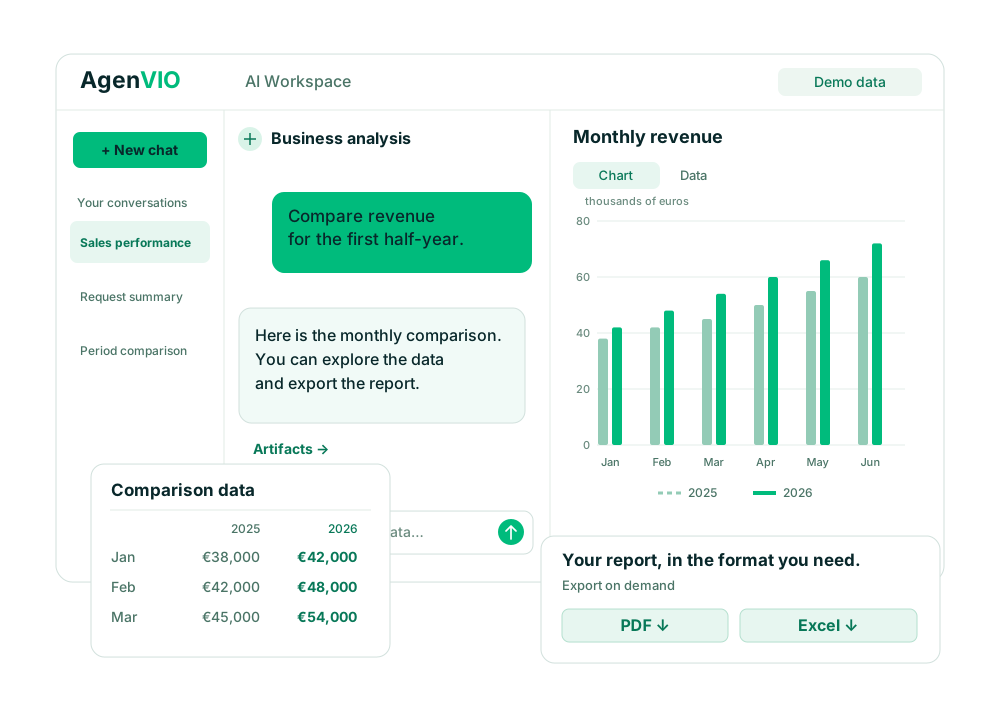
An answer can appear alongside an artifact: a monthly trend, a period comparison or a category breakdown. Continue by asking for detail or a representation better suited to the question. A line chart helps show a trend; columns compare distinct values. Choose a format that makes the result understandable alongside the underlying data. The useful outcome is an artifact the team can interpret and discuss, with its scope still clear.
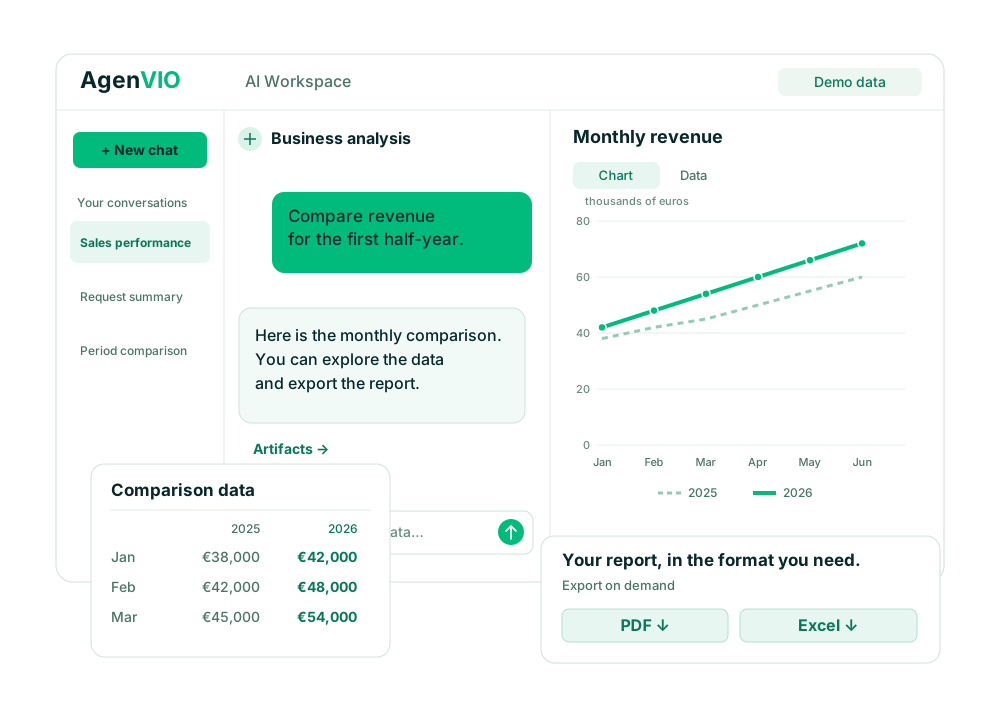
The example above uses entirely synthetic demo data. It shows a question about the first half-year, a comparison between two years and a table connected to the chart. It does not depict actual customers, conversations or business results. Its purpose is to show the path from a question to an artifact in the visual style of the platform’s interface.
PDF for sharing, Excel for further work
When a result suits the task, request a PDF report for a meeting or sharing and an Excel export to explore the data further with colleagues. Specify the period, comparison and information to include. Export gives the team an artifact to use outside the workspace, without turning each question into another manual document-formatting task. Choose the format according to what the recipient needs to do next.
Before forwarding a file, check that its content is current, its filters are correct and its recipients can receive that information. An exported document can circulate beyond the context of the chat. A clear title, period and data scope help someone else interpret it. Review remains part of the work, including when the document starts from a natural-language request and is prepared in the same conversation.
Two roles: talking to customers and understanding activity
Agents on external channels can collect enquiries and contacts. The internal team can work with conversations and data made available to understand recurring themes and information to improve. Analysing outcomes does not automatically grant the ability to reply to customers or change the external agent. Data and capabilities are assigned for the intended role. A proposed FAQ update goes through human review rather than being published automatically by the analysis.
Choose a useful first question
Start with a recurring, bounded task: a monthly sales comparison, a summary of available orders or the most common contact reasons. Identify its source, define the measure and agree how to check the result. A useful first trial lets the department recognise the data and assess whether the chart or document helps its work. On-demand generation is distinct from scheduled reporting, which should be assessed separately for the intended configuration.
Conversational Analytics in the AgenVIO workspace
The AgenVIO AI platform brings knowledge, agents and teamwork together. Conversational Analytics provides a direct way to consult connected data and turn it into usable artifacts: answers, charts, PDF and Excel. Explore the administration and sales examples, or book a demo to assess your company’s sources and questions with the team.


